
Android Multi Tool - 12 Month Activation ( AMT )
Delivery Time: 1-5 min
Android Multi Tool Activation Guide 2026: Unlock, FRP Bypass, and Setup
If you are a mobile technician or an enthusiast looking to bypass FRP, reset patterns, or flash firmware, the Android Multi Tool (AMT) is your ultimate companion. However, with the 2026 updates, "activation" now refers to two distinct things: setting up the classic free utility or purchasing a digital license for the professional AMT server.
In this guide, we provide the latest download links and a step-by-step walkthrough to get your tool up and running in minutes.
1. What is Android Multi Tool (AMT)?
The Android Multi Tool is a versatile software suite designed for servicing devices from brands like Samsung, Xiaomi, Vivo, Oppo, and Realme.
Key Features in the 2026 Version:
-
One-Click FRP Bypass: Support for Android 11 through Android 16 security patches.
-
Factory Reset: Wipe PIN, Pattern, or Password locks without losing data (on supported models).
-
Bootloader Unlock: Direct commands for MediaTek (MTK) and Qualcomm (EDL Mode) chipsets.
-
Mi Cloud & Vivo Demo Removal: Updated server-side scripts for instant removal.
-
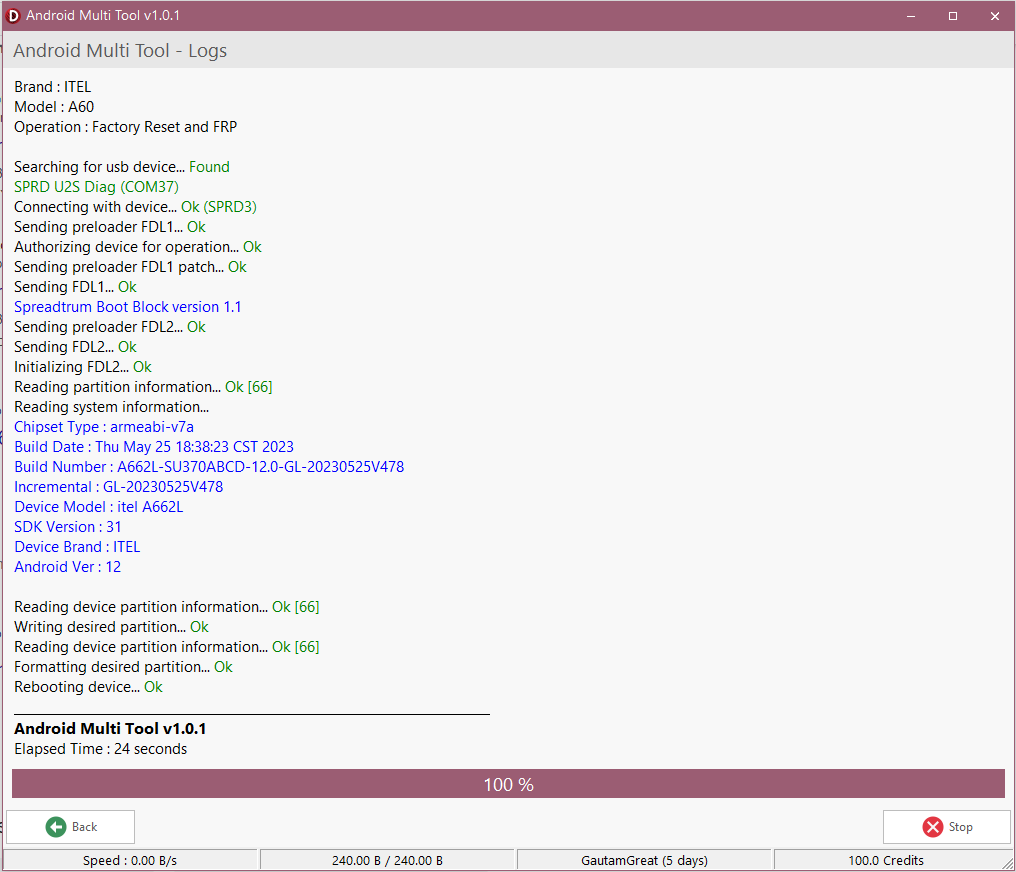
Itel /Tecno / Infinix : Anri crack Remove, FRP Remove
2. How to Activate Android Multi Tool (Step-by-Step)
Depending on which version you are using, follow the relevant activation path below.
For the Professional AMT (License Version)
The 2026 Professional version requires a digital account and credits for advanced server operations.
Activation Video Tutorial Here
-
Register an Account: Download the official AMT client and click on Register. Use a valid email.
-
Purchase a License: Unlike older versions, the 2026 AMT uses a subscription model:
-
3-Month License: ~$10
-
6-Month License: ~$18
-
12-Month License: ~$30
-
-
Activation: Once you purchase from an authorized reseller, provide your registered email. The server will "Activate" your account instantly.
-
Login: Enter your credentials in the tool and you are ready to go.
Android multi tool support list
- Infinix / Tecno / Itel Mediatek Auth
- Infinix / Tecno / Itel Spreadtrum Auth
- Oppo / Oneplus / Realme Secracy Decrypt
- Oppo / Oneplus / Realme Demo Remove
- Oppo / Oneplus Mediatek Auth
- Realme Mediatek Auth
- Nokia Fastboot HMD Auth
- Vivo Qualcomm / Mediatek Auth
- Xiaomi EDL / BROM Auth
- Xiaomi Fastboot to EDL Auth
- Xiaomi Mi Assistant FRP Auth
- Transsion Anti Crack Fix Auth
Troubleshooting Common Activation Errors
-
"Account Not Found": Ensure your Account is registered already on tool.
-
"Device Not Found": This is usually a driver issue. Check your Device Manager for "Android ADB Interface" with a yellow warning triangle.
-
"License Expired": Check your dashboard in the tool settings to verify your validity period and renew activation
Features
- FRP Bypass (Google Account Lock): Removes Google factory reset protection across major brands with one-click methods, specifically targeting new security patches.
- Factory Reset / Screen Lock Removal: Resets PINs, Patterns, and Passwords. (Note: Many modern models require a data wipe for this operation).
- Cloud Lock Removal: Specialized support for Mi Cloud (Xiaomi) and Vivo Demo/ID removal via online server authentication.
- Flashing & Firmware Management: Reinstalls system software to fix bootloops or "bricked" states.
- Bootloader Control: Unlocks and relocks bootloaders for custom ROM installation or rooting.
- Partition Manager: Advanced "Read/Write/Erase" functions for specific device partitions (NVRAM, NVDATA, RPMB).
Conclusion
Activating the Android Multi Tool in 2026 is a straightforward process once you understand the shift toward digital licenses. For professional results, the paid AMT Pro version is highly recommended for its stability and frequent security updates.
Android Multi Tool is user frinedly tool
all is one tool
very easy to use for all user new or expert


 Twitter
 Youtube
 Instagram